
Amazon Inventory Management for FBA and AWD
Selling on Amazon means planning stock you do not fully control. Amazon sets how much space you get, charges you for having too much and too little, and decides where your units go. This page explains the mechanisms that shape an Amazon replenishment plan, how FBA, AWD and a 3PL compare as places to hold stock, and how RitePrep plans and ships Amazon inventory from Austin, Texas.

What Is Amazon Inventory Management?
Amazon inventory management is the planning work of deciding how many units to keep in Amazon's fulfillment network, when to send more, and where the rest should wait. It balances sales velocity against FBA capacity limits, storage and low-stock fees, and supplier lead times so listings stay in stock without paying to store excess.
It is a planning job, not a warehouse job. Labeling and packing units so Amazon accepts them is FBA prep. Keeping your account in good standing is account management. Amazon inventory management sits upstream of both: it decides what quantity of each SKU should be inside FBA next month, which shipments have to leave your supplier or your warehouse to get it there, and what should stay outside Amazon until it is needed.
The reason it needs its own plan is that Amazon is not a neutral warehouse. It limits how much space you can use, scores how efficiently you use it, charges more when stock sits too long, and also charges when stock runs too thin. A plan that ignores those rules either strands sales in a stockout or pays fees on units that should never have been sent in.
How FBA Capacity Limits Work
Amazon replaced its older separate storage limits and restock limits with a single FBA capacity limit. It is measured by volume in cubic feet rather than by unit count, and it covers inventory on hand in fulfillment centers plus shipments you have already created and not yet delivered. A full limit means you cannot create new inbound shipments, even for a best seller that is about to run out.
Limits are set monthly, and Amazon announces each new month's limit before it starts. The Capacity Monitor in Seller Central shows your current limit and estimates for the following months, which is what makes forward planning possible. Amazon says the limit is influenced by your Inventory Performance Index score, your sales forecasts, shipment lead time and the space available in its network. Amazon has also offered a Capacity Manager where you can request extra space against a reservation fee that sales credits can offset. Check what is open to your account, because the program details change.
What the IPI Score Measures
The Inventory Performance Index is a score from 0 to 1,000 that Amazon uses to rate how efficiently you run your FBA stock. It rewards keeping on-hand inventory in proportion to sales, avoiding excess and aged units, fixing listing problems that leave inventory stranded without an active offer, and keeping popular products in stock.
IPI matters for planning because Amazon factors it into capacity limits, so a low score can shrink the space you have to work with. Amazon has tied storage rules to specific IPI thresholds in the past and has moved those thresholds over time. Do not plan around a threshold quoted on a blog: check your current score and whatever Amazon currently publishes in Seller Central.
What Is Amazon AWD?
Amazon Warehousing and Distribution, or AWD, is Amazon's bulk storage service upstream of FBA. Inventory goes into AWD in cases or on pallets and is held there until it is needed, then moved into FBA fulfillment centers. AWD can also distribute to some other channels from the same pool of stock.
Replenishment from AWD to FBA can be left to Amazon, which watches FBA levels and creates the transfers itself, limited by minimum and maximum quantities you set, or run manually. Amazon states that AWD inventory does not count against your FBA capacity limit and that its pricing covers FBA inbound placement. Products must be eligible, and the rules on which replenishments count toward capacity are worth reading before you rely on it.
Inbound Placement and the Fees That Punish Bad Timing
When you create a shipment in Seller Central, Amazon offers inbound placement options. Sending to the fewest locations, often one, is convenient but carries a per-unit inbound placement service fee for Amazon to spread the stock across its network. Splitting the shipment across the locations Amazon recommends reduces or removes that fee, at the cost of more shipments and more freight to manage.
Two other fees pull in opposite directions. The low-inventory-level fee is added per unit when a product's FBA stock is low relative to its recent sales, measured over both a short and a longer window, with exemptions that include some new products and some AWD auto-replenished stock. The aged inventory surcharge is added monthly on units that have sat in a fulfillment center past a set age, rising in tiers the longer they stay. Amazon revises all of these each year, so check current rates and thresholds in Seller Central rather than relying on figures from last season.
FBA vs AWD vs a 3PL: Where to Hold Amazon Inventory
Many sellers hold stock in more than one place. The question is which units should sit where, and what each option does to your capacity, your fees and your control over timing.
| FBA fulfillment centers | Amazon AWD | A 3PL holding upstream stock | |
|---|---|---|---|
| What it is for | Holding the units that ship to Amazon customers with the Prime badge. | Bulk storage in cases or pallets upstream of FBA, fed into FBA as needed. | Reserve stock in a warehouse you choose, released to FBA in planned shipments. |
| How it replenishes FBA | It is the destination. Stock arrives from a supplier, AWD or a prep center. | Amazon-managed auto-replenishment, replenishment within limits you set, or manual. | You or your planner decide each send, which is prepped and shipped in. |
| How fees are structured | Per-unit fulfillment fees and monthly storage, plus aged, low-stock and placement fees. | Storage, processing and transport fees, with FBA inbound placement included. | Receiving, storage, prep and outbound fees under the 3PL contract, plus freight. |
| Effect on capacity limits | Everything on hand and in transit to FBA counts toward the limit. | AWD stock does not count toward your FBA capacity limit. | Stock outside Amazon does not count until a shipment to FBA is created. |
| Control over timing | You choose what to send. Amazon chooses which locations receive it. | Largely handed to Amazon's replenishment logic unless you run it manually. | Full control of what ships, when, in what quantity, and in what prep. |
| Other sales channels | Multi-Channel Fulfillment can ship FBA stock to orders from other channels. | Can distribute to some other channels from the same pool of stock. | The same stock can serve DTC, wholesale and retail orders from the 3PL. |
| Who it suits | Every FBA seller, for the units expected to sell in the next few weeks. | Eligible sellers with steady demand who want Amazon to run replenishment. | Sellers who sell beyond Amazon, need prep control, or carry AWD-ineligible SKUs. |
AWD eligibility, replenishment settings and every fee above change over time. Confirm the current terms in Seller Central before moving stock. Plenty of sellers use all three: AWD for steady sellers, a 3PL for stock that also serves other channels, and FBA for the next few weeks of sales.
Where Amazon Inventory Plans Go Wrong
Most Amazon inventory problems are timing problems. The stock exists. It is just in the wrong place, in the wrong quantity, at the wrong moment.
A best seller stocks out because capacity was full of slow movers when the replenishment needed to ship
One large inbound fills the capacity limit for a month and blocks every other SKU
Units sit long enough to collect aged inventory surcharges on stock that was sent in too early
Sending too little to save storage triggers low-inventory-level fees and slower delivery promises
Single-destination shipments add inbound placement fees nobody planned for in the margin
Stranded listings quietly drag down the IPI score and, with it, next month's capacity
None of these are solved by buying more stock. They are solved by deciding, every cycle, how much of each SKU belongs inside Amazon and what should wait outside it.
What Our Amazon Inventory Management Covers
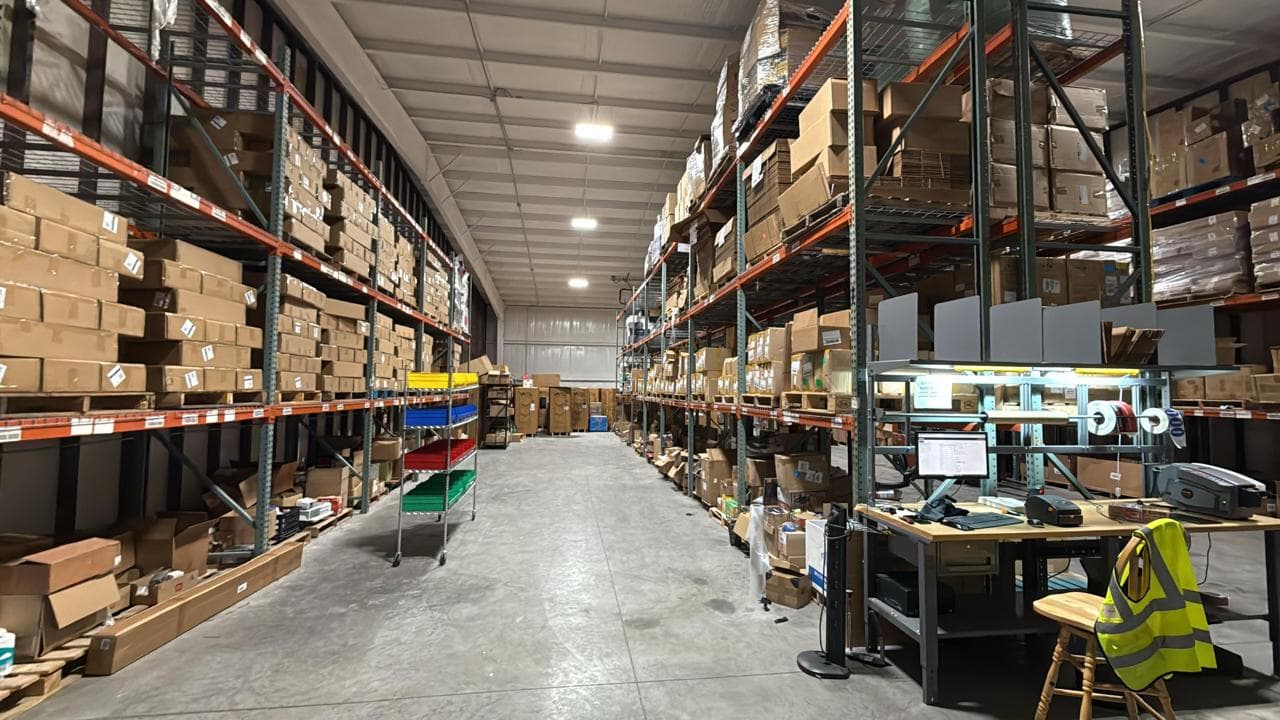
We plan your Amazon inventory around the rules Amazon actually enforces, and where it helps, we hold and prep the upstream stock in our own Austin warehouse.
Capacity Limit Planning
We read your confirmed and estimated capacity limits each month and lay out which SKUs get space, in what volume, and in what order. Fast sellers get priority. Slow movers wait outside Amazon instead of taking space a best seller needs.
SKU Replenishment Plans
For each SKU we set how many weeks of cover to hold in FBA, how often to send, and how large each send should be, using your sell-through and the real time it takes stock to reach Amazon and become available. The forecast behind it comes from demand planning, and the reorder points and safety stock on the supplier side come from inventory planning.
Inventory Health and IPI
We track the inputs Amazon scores: excess units, aged units, stranded listings and in-stock rate on your popular products. You get a short list of actions each cycle, such as listings to fix, units to pull back, or SKUs to stop sending until they sell through.
Fee Exposure Review
Before stock moves, we check what the plan does to your inbound placement, low-inventory-level and aged inventory charges. The goal is not zero fees. It is paying the fees you chose rather than the ones a rushed shipment created.
AWD, FBA or 3PL, Per SKU
We look at which SKUs suit AWD and which are better held at a 3PL or sent straight to FBA, based on how steady the demand is, whether the stock also sells elsewhere, and how much control you want over prep and timing. If AWD is the better fit for a SKU, we will say so.
Shipment Planning and Placement Options
We build the shipment against the plan and weigh Amazon's placement options: one destination with a placement fee, or a split that costs more freight and handling. You see the trade-off before anything is booked.
Upstream Stock in Austin, Texas
If you want reserve stock outside Amazon, we can hold it in our Austin warehouse and send FBA smaller, more frequent replenishments instead of a few large ones. That is one practical way to keep capacity free for what is selling. Every unit is prepped to spec before it leaves, through our FBA prep line, and stored under our warehousing service.
Removals Back Out of FBA
When units have sat too long or capacity is needed elsewhere, stock can come out of FBA on a removal order and be received here, then held, relabeled or sold through other channels instead of collecting surcharges.
Amazon inventory management is one of our supply chain services. The buying side, raising and chasing supplier orders, is purchase order management. If you are weighing whether some orders should leave FBA altogether, see Seller Fulfilled Prime and FBA alternatives, and for account health issues, see Amazon account management.
How Amazon Inventory Planning Runs
Review Your Account Data
We start from your inventory, sales, capacity and fee reports in Seller Central, through access you grant or exports you send, plus your supplier lead times and what you already have on order.
Segment the Catalog
SKUs are grouped by how they sell: steady movers, seasonal lines, slow movers, new launches and anything at risk of aging. Each group gets a different holding rule.
Set the Holding Plan
For each SKU we decide how much belongs in FBA, how much in AWD or upstream at a 3PL, and how often it should be replenished, within the capacity you have.
Plan the Shipments
When capacity is announced each month, we turn the plan into shipments, choose placement options, and, if the stock is here in Austin, prep and ship it.
Watch the Signals
Between sends we watch sell-through, stranded listings, aging units and fee lines, and adjust the next shipment rather than waiting for a stockout or a surcharge.
Review Each Cycle
Each month you get a short review: what shipped, what is at risk, what fees landed and why, and what changes in the next plan.
Who Amazon Inventory Management Suits
It fits sellers whose Amazon problems come from timing and space rather than from the product itself.
Why Plan Amazon Inventory With RitePrep
Planning Tied to a Real Warehouse
The plan and the stock live in the same place. When the plan says send a smaller replenishment next week, our Austin team can pick, prep and ship it, rather than handing the job to someone else.
Even-Handed About AWD
We hold inventory for a living, but AWD genuinely suits some SKUs. We recommend where each SKU should wait based on its demand and your channels, not on where we earn storage.
One Inventory Pool Across Channels
Stock held here can feed FBA and also ship DTC, Shopify and wholesale orders, so a slow month on Amazon does not leave units stuck in the wrong network.
Plain Rules, No Guesswork
We plan around what Amazon publishes in your Seller Central account at the time, not around thresholds repeated from old blog posts. When Amazon changes a rule, the plan changes with it.
Connected to the Buying Side
Amazon inventory planning works best when it connects to what you order from suppliers. It sits alongside our demand planning, inventory planning and purchase order work, so the whole chain uses one set of numbers.
Holding Upstream Stock to Work Within Capacity Limits
Capacity limits reward sellers who keep FBA lean and replenish often. Holding reserve stock outside Amazon is one of the simplest ways to do that, whether the reserve sits in AWD or at a 3PL. The questions that decide which way to go:
The answer is often a mix. What matters is that the decision is made per SKU, written down, and revisited when capacity, fees or demand move.
Questions, answered
Amazon inventory management is the planning work of deciding how many units to keep in Amazon's fulfillment network, when to send more, and where the rest should wait. It balances sales velocity against FBA capacity limits, storage and low-stock fees, and supplier lead times so listings stay in stock without paying to store excess.
Plan What Goes Into Amazon, and What Waits
Tell us what you sell, where your stock sits today, and where capacity or fees are hurting. We will lay out a holding and replenishment plan, and if upstream stock in Austin makes sense, we can hold, prep and ship it too.